Rust CLI + TUI Search
Semantix Lite
Semantix Lite began with a narrow developer need: search local code and documents quickly, whether from a script or an interactive terminal session.
View source on GitHubContext
Problem, constraints, and my role
Local code and document collections need focused search that works equally well in scripts and interactive sessions.
Constraints
- CLI and TUI modes needed consistent search behavior.
- Recursive, regex, case-sensitive, and extension filters had to compose cleanly.
- The tool needed to stay modular and cross-platform.
My role
I developed the Rust CLI and TUI with regex, case-sensitive, extension-based, and recursive filtering.
Project media
The system in view
Interface studies and working demonstrations from the project.
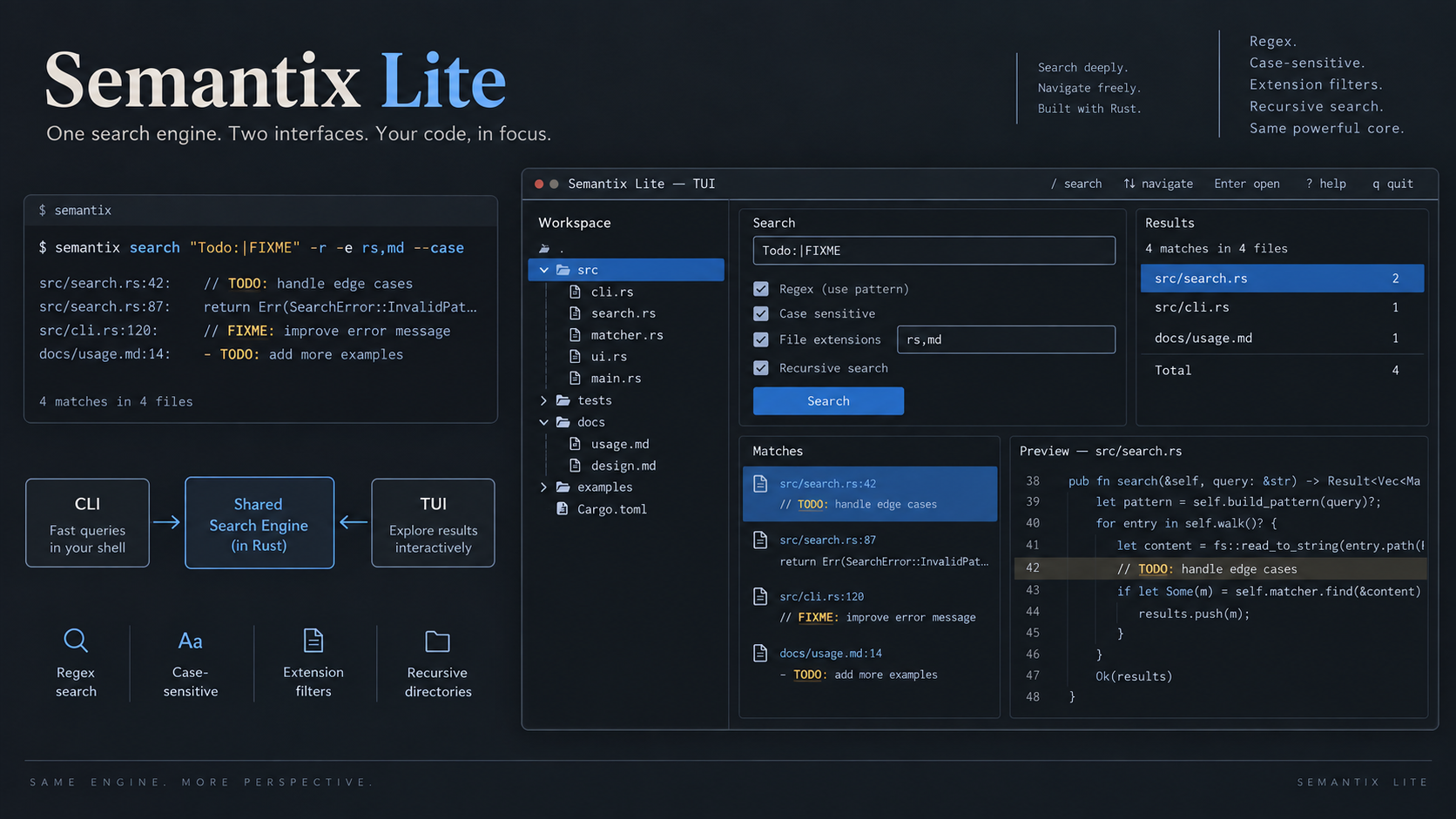
Architecture note
One search engine, two interfaces
CLI and TUI modules share a reusable search layer and utilities, while output rendering remains decoupled.
Engineering decisions
The choices that shaped the work
Share the search core
CLI and TUI modules use the same search engine so filtering behavior stays consistent across both interfaces.
Keep rendering decoupled
Search behavior remains separate from command-line and interactive output rendering.
Compose focused filters
Regex, case sensitivity, file extensions, and recursive discovery form a practical local-search toolkit.
Result & reflection
What the work produced
Delivered a modular cross-platform tool with shared behavior across command-line and interactive modes.
What stayed with me
Semantix Lite reinforced the value of separating core logic from interfaces so one engine can serve more than one way of working.
- Rust
- clap
- walkdir
- regex
- ratatui
- crossterm